Theme Overview
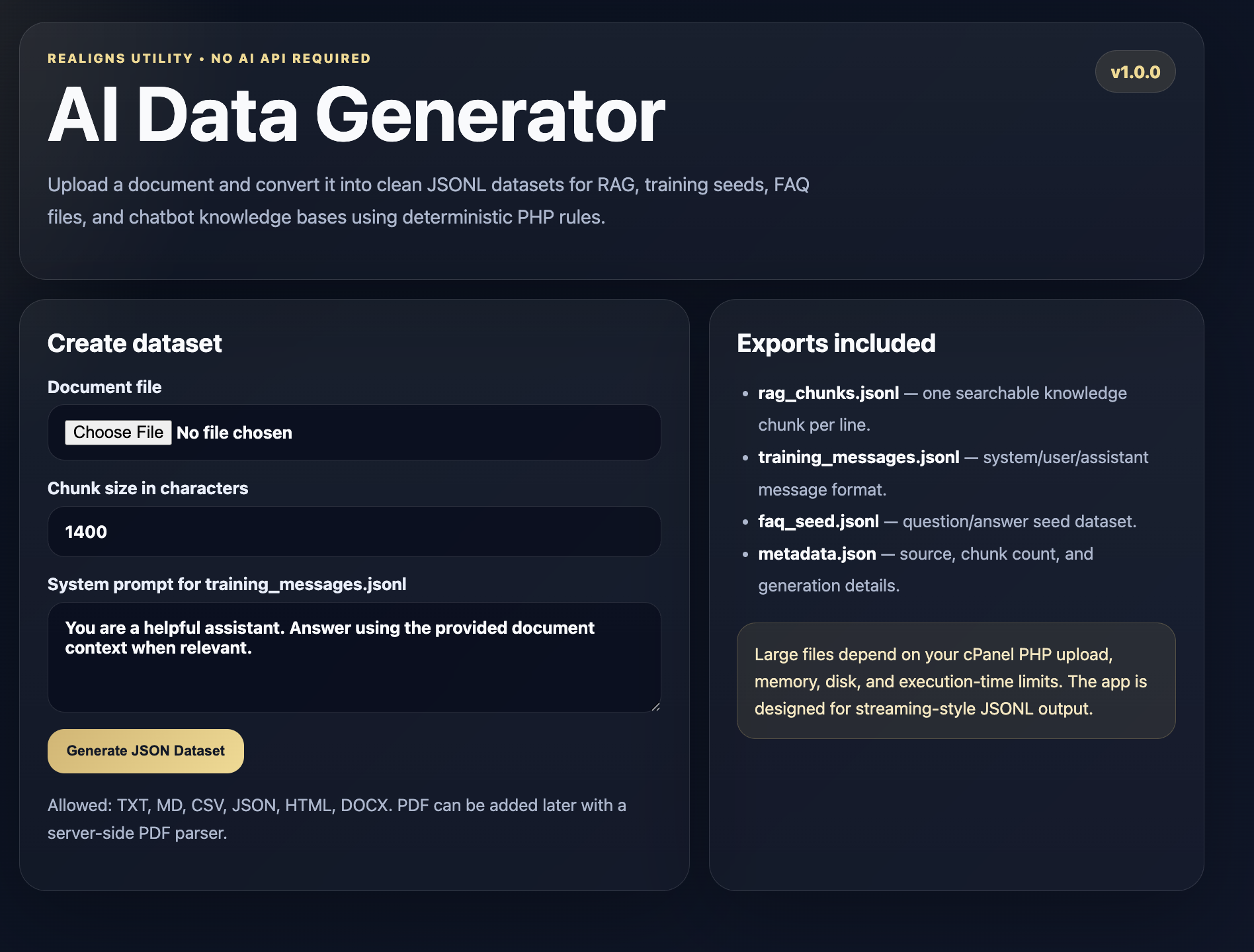
AI Data Generator is a lightweight, fully local PHP utility app designed for AI developers, prompt engineers, chatbot builders, SaaS founders, and local AI teams who need clean structured datasets without sending private documents to external AI services.
The app runs on standard shared hosting such as cPanel, hPanel, DirectAdmin, and most PHP hosting environments. Users can upload documents such as TXT, Markdown, CSV, JSON, HTML, and DOCX files, then convert them into structured AI-ready JSONL and JSON outputs.
It is useful for building RAG knowledge bases, chatbot datasets, fine-tuning seed data, FAQ datasets, support knowledge files, and internal AI training preparation workflows.
The tool does not require OpenAI, Gemini, Claude, external APIs, cloud AI, or database setup. All document conversion is handled locally using deterministic PHP rules. This makes it suitable for privacy-conscious businesses, AI developers, local LLM projects, internal company documentation, client knowledge bases, and offline-first AI workflows.
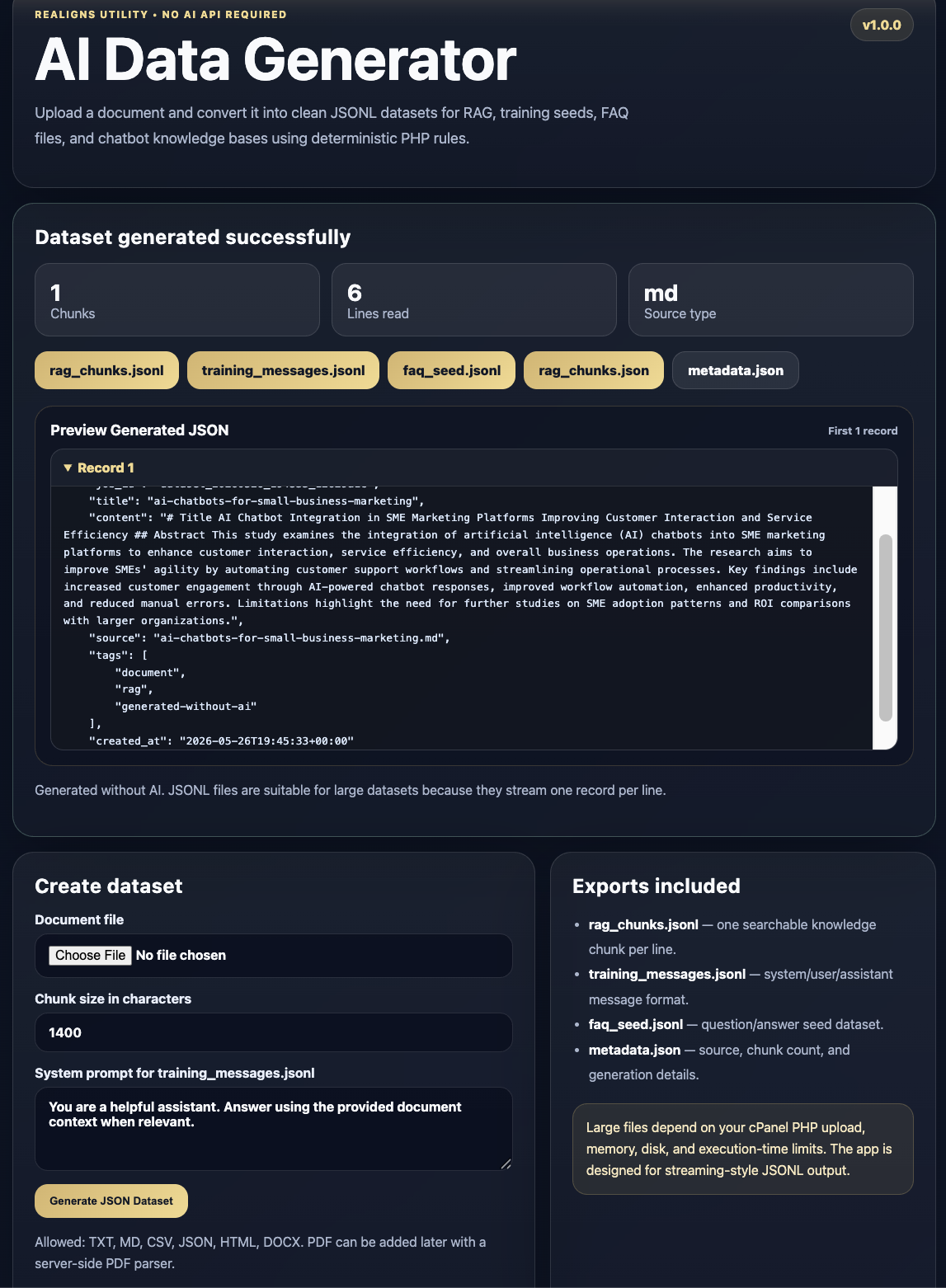
Generated output includes RAG chunks, training message records, FAQ seed records, JSON chunk exports, and metadata. The app also includes a browser preview panel so users can inspect generated JSON before downloading.
This is a simple, practical, privacy-first AI developer utility for turning business documents into machine-readable AI dataset files.
Test the theme before purchase
Use the live demo to upload TXT, MD, CSV, JSON, HTML, or DOCX files and convert them into AI-ready JSONL datasets. Test the generated RAG chunks, training messages, FAQ seed file, metadata file, and preview panel before purchase.
Open Live DemoWhat is included
Ideal use cases
Complete page structure
Files and assets included
- PHP source files
- HTML page structure
- CSS styling file
- JavaScript-ready structure
- Document parser logic
- Upload handler
- Dataset generator logic
- Download handler
- Protected storage folders
- Uploads folder
- Outputs folder
- README installation guide
- Sample configuration
- Complete shared-hosting-ready folder structure
How to install
License, support and refund policy
License
This lifetime single website license allows one buyer to install and use AI Data Generator on one website, one domain, one subdomain, or one client project.
The buyer may use the generated datasets for personal, commercial, internal business, client, RAG, chatbot, local AI, and AI development workflows.
The buyer owns the data they upload and the output files generated by the tool.
The app runs locally on the buyer’s own hosting environment. Realigns Inc does not receive, store, process, or access the buyer’s uploaded documents or generated datasets when the app is installed on the buyer’s server.
Redistribution, resale, repackaging, sharing, sublicensing, or reselling of the original source code, ZIP file, or modified versions as a competing product is not allowed unless a separate reseller or extended commercial license is purchased.
This license does not transfer ownership of the original AI Data Generator source code, design, branding, or marketplace package. Realigns Inc remains the original developer and copyright holder of the product.
Support
Support includes basic installation guidance, file structure explanation, upload setup help, output file explanation, and assistance with default configuration issues.
Support does not include custom feature development, new parser integrations, advanced PDF extraction, AI API integration, third-party service setup, hosting migration, server limit upgrades, design redesign, or custom business dataset engineering.
Paid customization services may be available for adding PDF parsing, admin login, user accounts, bulk upload, ZIP batch processing, MySQL storage, S3 storage, API endpoints, white-label branding, or custom AI workflow integration.
Refund Policy
Because this is a digital downloadable product, refunds are not available after download unless the product ZIP file is corrupted, missing core files, or technically unusable in a standard PHP hosting environment.
If an installation issue occurs, support will be provided where possible to help resolve setup problems.
Refunds are not provided for hosting limitations, server upload size limits, PHP configuration restrictions, lack of technical knowledge, custom feature expectations, or incompatibility with unsupported server environments.