Theme Overview
AI Customer Support Widget Pro v2 is a lightweight OpenAI-powered website support assistant designed for businesses, agencies, freelancers, online stores, SaaS websites, service companies, and commercial website owners who want to add AI customer support quickly.
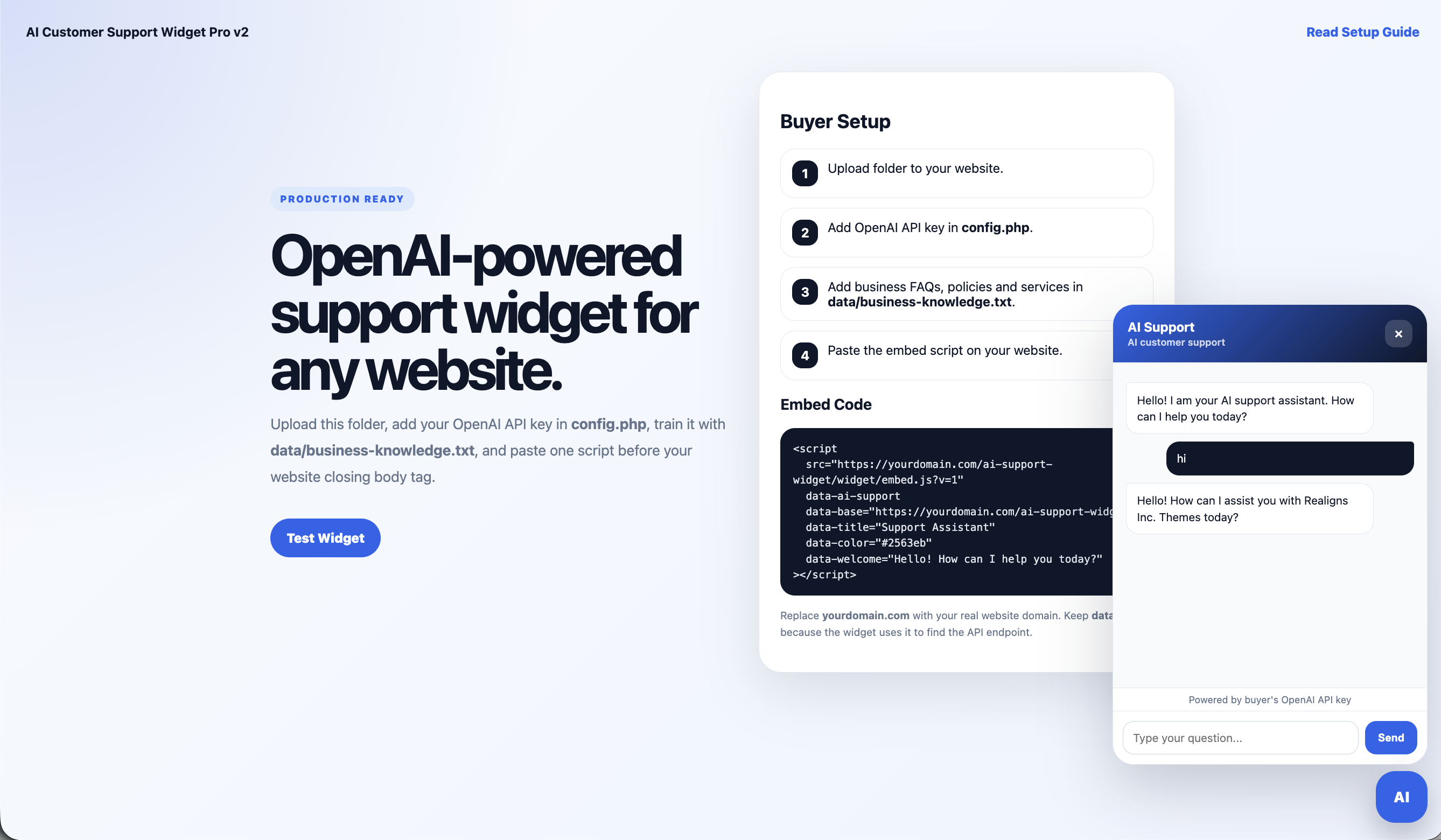
The widget works as a floating chat button that can be embedded on almost any website. Buyers upload the folder to their hosting, add their own OpenAI API key in config.php, add business FAQs, products, services, pricing, policies, installation notes, support details, and company information inside data/business-knowledge.txt, then paste one script before the website closing body tag.
This tool does not require MySQL, database setup, Composer, Node.js, or an admin dashboard. It is built for simple shared-hosting deployment and can work on cPanel, hPanel, DirectAdmin, WordPress websites, WooCommerce stores, Shopify storefronts, basic PHP websites, and static HTML pages.
The widget uses OpenAI’s Responses API endpoint and sends the visitor’s question together with the buyer’s system prompt and business knowledge file. This allows the AI assistant to answer questions based on the buyer’s own business information without fine-tuning or model training.
If no OpenAI API key is added, the widget runs in demo mode so buyers can preview the design and basic behavior before activating live AI replies.
AI Customer Support Widget Pro v2 is ideal for customer support, product guidance, service FAQs, installation help, refund policy explanation, pricing guidance, contact routing, and website visitor assistance.
The product includes a setup landing page, floating widget JavaScript, PHP API endpoint, OpenAI configuration file, system prompt file, business knowledge file, README buyer guide, and clean responsive UI styling.
Test the theme before purchase
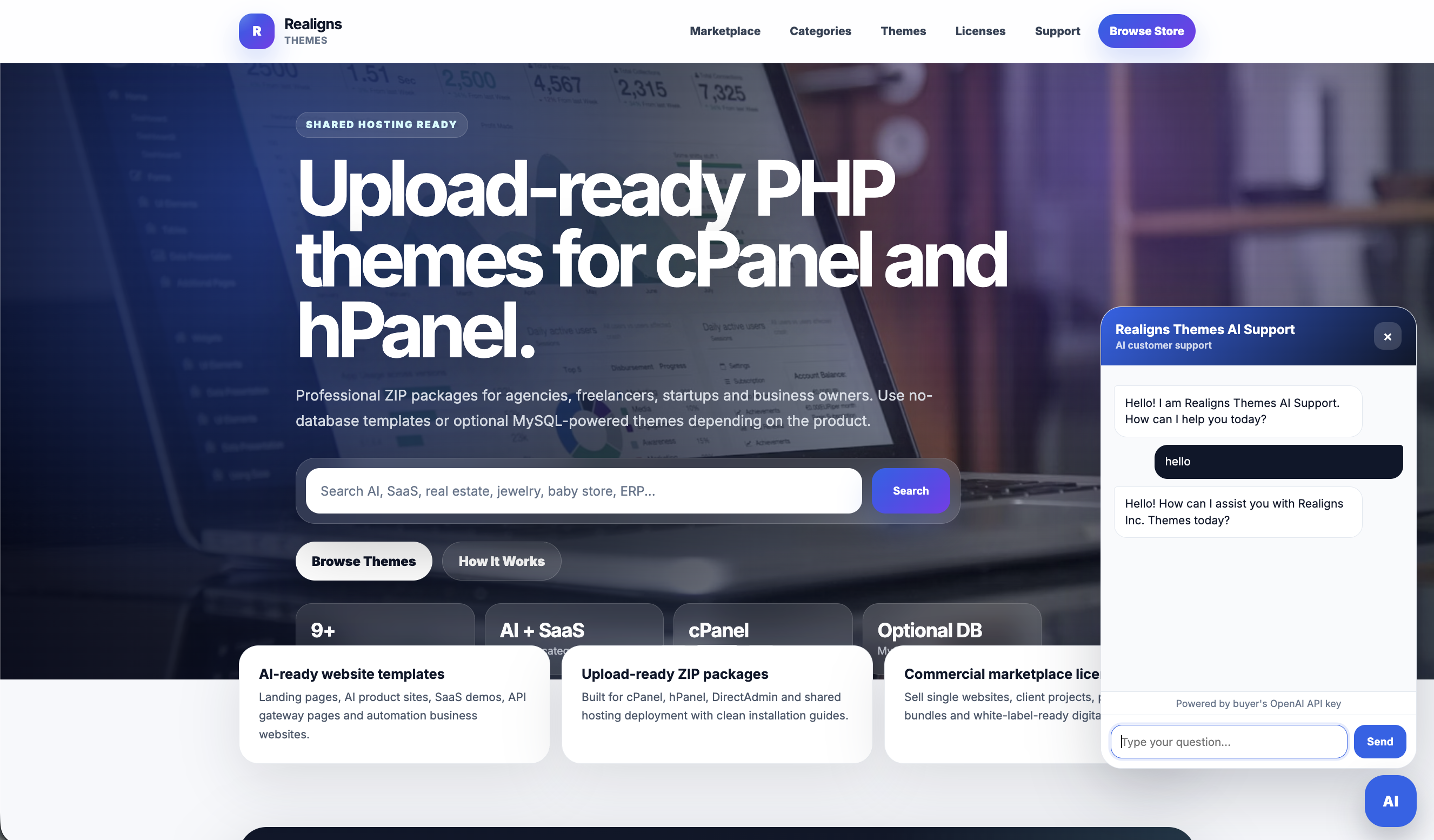
Use the live demo URL to preview the floating AI customer support widget, buyer setup page, demo mode response, embed script, and business knowledge workflow. The widget runs without MySQL and does not require an admin dashboard. Buyers only add their own OpenAI API key in config.php, update data/business-knowledge.txt with their business information, and paste the embed script on their website.
Open Live DemoWhat is included
Ideal use cases
Complete page structure
Files and assets included
- index.php landing page
- config.php configuration file
- api/chat PHP endpoint
- widget/embed.js floating widget script
- assets/css/style.css styling file
- prompts/system-prompt.txt assistant behavior file
- data/business-knowledge.txt business training file
- README.txt buyer setup guide
- Industry prompt examples
- Demo mode response logic
- OpenAI API integration code
- Buyer-safe embed code example
- Commercial ZIP folder structure
How to install
License, support and refund policy
License
This license allows one buyer to use the widget for one website or one client project. The buyer may customize the widget title, color, welcome message, business knowledge file, system prompt, configuration file, and styling for their own business or client project.
Redistribution, resale, repackaging, sharing, uploading to another marketplace, or reselling of the original ZIP file is not allowed unless an extended or reseller license is purchased.
The buyer is responsible for using their own OpenAI API key and paying any API usage costs directly to OpenAI. Realigns Inc does not provide API credits inside this product unless separately agreed.
This product provides a ready-to-use website support widget. It does not include legal, medical, financial, or regulated professional advice. Buyers should customize the system prompt and business knowledge responsibly for their industry.
Support
Support includes basic installation guidance, file structure explanation, config.php setup guidance, OpenAI API key placement guidance, embed script explanation, business-knowledge.txt editing guidance, and standard widget setup help.
Support does not include providing OpenAI API credits, creating an OpenAI account, custom prompt engineering for every business, custom redesign, third-party website debugging, WordPress theme editing, Shopify theme editing, payment integration, database integration, or advanced custom feature development. These services may be available separately as paid customization work.
Refund Policy
Because this is a digital downloadable product, refunds are not available after download unless the product ZIP file is corrupted, missing essential files, or technically unusable in its original form.
If the buyer faces setup issues, support will be provided to help resolve the problem where possible. Refunds are not provided for missing OpenAI API keys, OpenAI billing issues, buyer hosting limitations, disabled PHP cURL, buyer customization errors, third-party website conflicts, unsupported hosting environments, or API usage costs.